Archive for the ‘Hurricane MTA Server’ Category

Hurricane MTA Server Updates

Tuesday, November 30th, 2010 by John Alessi

Over the past few months we have released some powerful new functionality into Hurricane MTA Server for our on-premise customers.

Delivery Rule Overrides

Delivery rule overrides enable you to globally override all delivery rules for an account. For example, if you wanted to change the throttling for an account to 50 messages per hour, per domain, per IP, you can do it here.

Each delivery rule override gets overlaid on top of any existing delivery rules that would otherwise apply.

Sender and Receiver Control

It is now possible to independently control an accounts ability to accept new mail and/or to send mail already in queue.

New Bounce Processing Engine

Under the hood is an entirely new bounce processing engine that is much more efficient and customizable than ever before. For most users this will be completely transparent, but for those of you who like to dive deep into bounce data, all of our bounces are categorized by codes now. The following KB article explains it more: http://www.socketlabs.com/78

Restarts on Config Changes Minimized
We have optimized the internals so that far fewer restarts are required when making configuration changes.

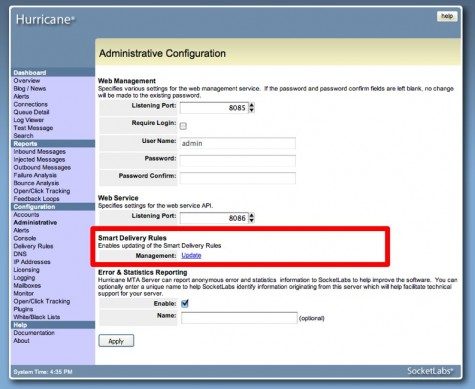
If you have an up to date support contract and you would like to upgrade, with just a click you can easily grab the new builds, with these new features by using the built in Update option included with Hurricane MTA Server.


Hurricane MTA Server Update Includes 64bit Support and More!

Wednesday, April 28th, 2010 by John Alessi

The blog has been kind of quiet lately but we’ve been VERY busy at work. If you haven’t noticed there have been many improvements to Email On-Demand over the past months including a new interface with beautiful reporting, a new API and many other new and improved user-friendly features. On-Premise customers don’t worry, we have been working hard on Hurricane MTA Server too.

Hurricane MTA Server is more important to us than ever now, since we are using it to power our SocketLabs Email On-Demand solution. This has led to several innovations and improvements in Hurricane MTA Server. Lately we have been working under-the-hood, strengthening the foundation of Hurricane MTA Server for future growth and leverage.

The latest production release of Hurricane MTA Server was pushed out quietly earlier this month but contained some really big improvements including:

  • Support for running natively in 64-bit mode now allows Hurricane MTA Server access to much more RAM, increasing performance dramatically.
  • Fully upgraded the backend statistical database to further increase its performance and scalability.
  • Totally replaced the internals of the bounce and failure processing and analysis to provide much more accurate and specific bounce and failure codes.

Each of these items were a massive undertaking for us in their own right and we have been working on them for over a year. It is really great to finally see them come to fruition.

Follow John Alessi on Twitter: @johnalessi


New Hurricane MTA Server Release Boasts Powerful New Features

Wednesday, December 16th, 2009 by John Alessi

Automatic Suppression Lists

The latest production release of Hurricane MTA Server adds powerful automatic suppression lists that boost your deliverability and protect your reputation by automatically blocking repeat emails to invalid addresses and email addresses that have filed complaints against you. This incredibly intelligent and automatic feature is out of beta and currently in production.

See this article for more information.

More Powerful IP Based Authentication and Account Mapping

Now, any account can be selected and authenticated by the source IP address. Simply edit the IP whitelist and add the account id to the end of the IP address separated by a pipe.

For example if you wanted all email coming from 66.72.15.29 to go through account 1024, you would enter the following entry in the whitelist:

66.72.15.29|1024

Critical Alerts

System alerts are now broken out into two levels: critical and standard. Critical and standard alerts can be sent to different email address lists, making it easy to escalate critical issues.

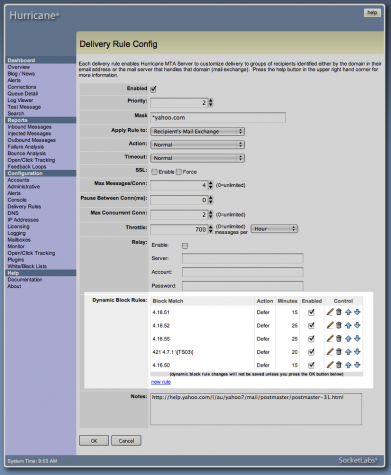
The alert level of each Dynamic Block Rule can now be set to standard or critical.